Kids have a unique way of seeing the world. A leaf, a puppy, or a colorful kite can spark their imagination. A kid’s camera lets them capture these moments, fueling creativity and curiosity. Unlike commercial cameras adults use, a kids’ camera is designed specifically for young photographers. It’s tough, simple, and packed with fun features that make photography exciting for children.
Unlike smartphones, which are fragile and full of distractions, kids’ cameras are built with one purpose: to help children explore and express themselves. They let kids focus on what matters: the story behind the picture.
A kid’s camera also builds confidence. When a child takes photos with their own device, they’re not just “using mom’s phone.” They’re creating something that’s theirs, and that small sense of ownership helps them grow both artistically and emotionally.

The primary difference between a children’s camera and a professional one lies in their purpose. While adult cameras aim for precision and control, cameras for kids focus on fun, safety, and simplicity. Here’s what makes them unique:
A shockproof and waterproof kids’ camera can handle drops, splashes, and messy hands. Parents don’t have to worry about cracked screens or delicate parts.
Kids don’t need complex settings like aperture or ISO. A child-friendly camera has large buttons, clear icons, and automatic modes, allowing them to take great shots effortlessly.
Many kids’ cameras come with filters, frames, stickers, and even mini games, turning photography learning into a creative activity.
Kids’ cameras cost much less than adult gear, so parents can introduce photography without fear of damage or big spending.
Kids drop things a lot. Choose shockproof, water-resistant models that can survive playtime and outdoor adventures.
The simpler, the better. Look for lightweight designs with big buttons and easy menus.
Filters, stickers, sound effects, and short video clips make photography playful. These creative tools help kids learn visual storytelling.
You don’t need professional-grade photos. A kid’s digital camera with 8–12MP resolution is enough for vibrant prints and HD video.
Pick rechargeable or long-lasting batteries. USB charging is convenient for travel and everyday use.
Understanding the technical specifications helps parents find the right model for their child’s age and interests.
5–8MP is great for younger kids; 10–12MP for older or more curious photographers.
A 2–3 inch LCD screen gives a clear preview while remaining sturdy.
Choose at least 720p HD video or 1080p for kids who enjoy filming or vlogging.
Most digital cameras for kids use microSD cards. A 16–32GB card is ideal.
USB transfer is the safest option; Wi-Fi can be handy, but it should be monitored by parents.
Look for labels such as “shockproof up to 1.5m” or “waterproof up to 3m” to ensure extra protection.
Rechargeable lithium batteries are best for everyday use, while AA batteries are ideal for travel.
When you’re ready to buy, look for a camera that fits your child’s personality. Whether it’s a waterproof model for outdoor play or a creative tool for young storytellers, the right camera helps children see life through a new perspective.
You can also explore our detailed guide to the 5 Best Kids Cameras for 2025, featuring durable, age-appropriate options trusted by parents everywhere.
Most children can start using a kids camera around age 3. For your lovely kids, brands like VTech and MyFirst offer simple, chunky cameras that are easy to grip and fun to use.
Yes. A kids camera offers real educational and creative value. It encourages children to explore their surroundings, express themselves, and build fine motor skills. Many parents find that kids use cameras more meaningfully than tablets or phones.
Most kids cameras don’t connect to the internet, which makes them safe and distraction-free. However, features like built-in storage and limited battery life act as natural usage controls. Some brands also allow SD card limits to help manage how much content your child can store.
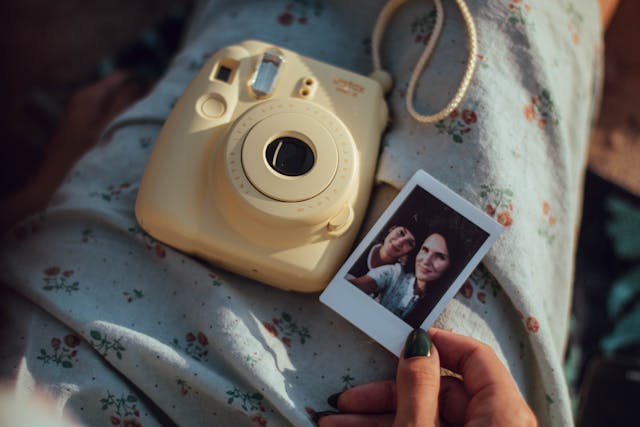
Yes! Fujifilm Instax Mini and KODAK Printomatic offer instant print cameras. While not designed specifically for kids, they’re simple enough for older children (8+) to use with supervision. They allow kids to print photos on the spot, adding a hands-on element to photography.